
View a conversation
Open a customer's conversation with the bot and read the context.
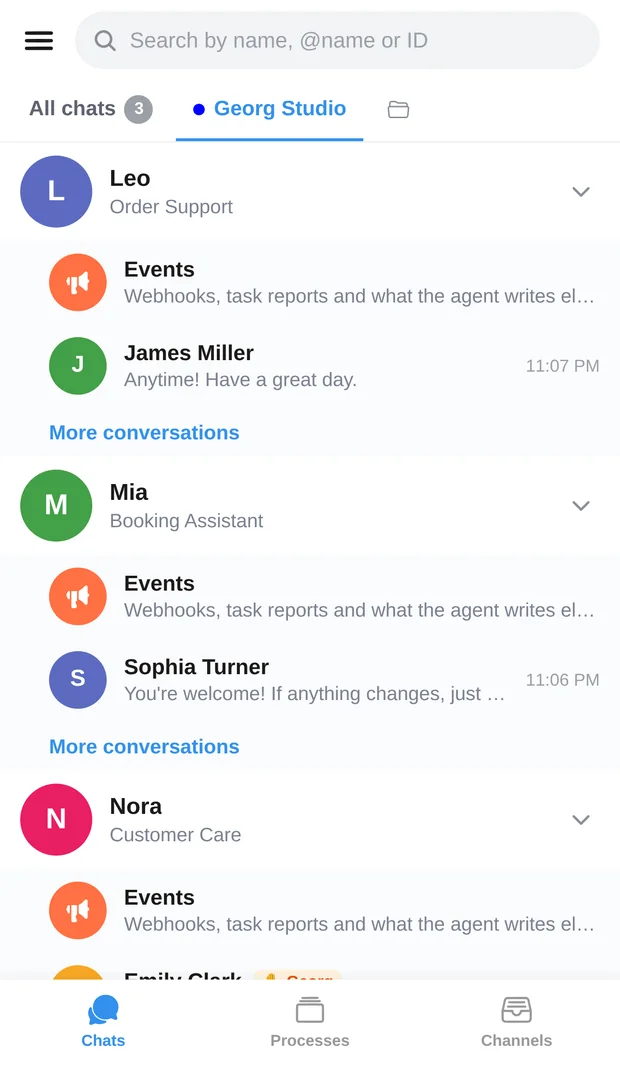
Your bot keeps working on its familiar platform. AIRONIK brings together its conversations, incoming events and your team's participation through one integration.
Prices and connection terms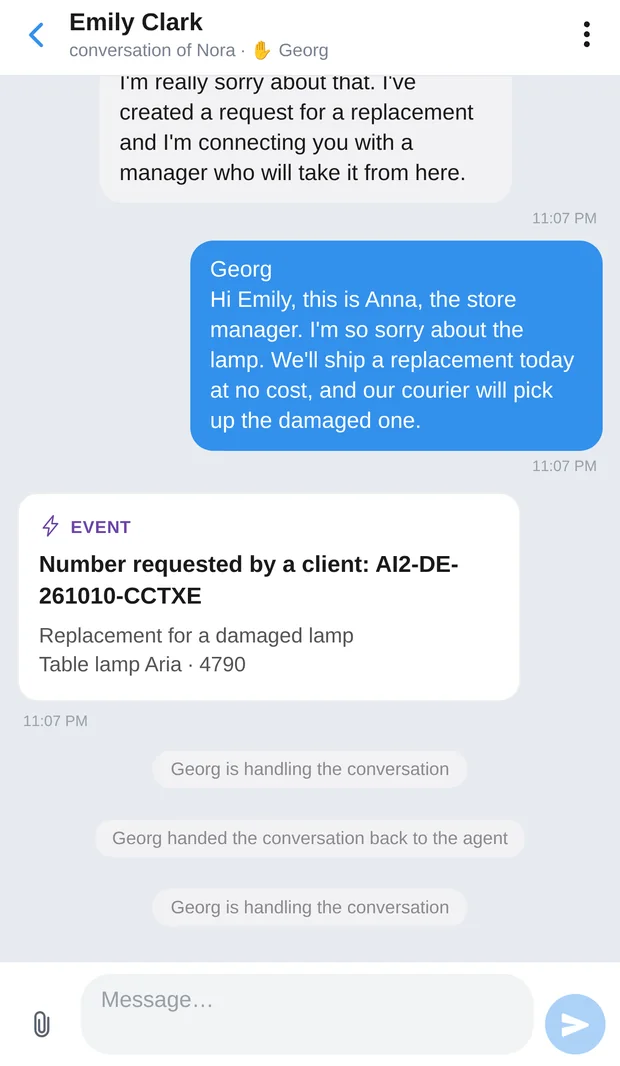
Connection requires AIRONIK protocol support on your platform or help from its developer.
In AIRONIK, create an agent of this type for a bot already running on an external platform.
Obtain the API key and confirmation code. They are issued when you create the connection; save them to configure the integration.
Enter the key and code in your bot platform's AIRONIK integration. It must send conversations and events using the AIRONIK protocol.
Set the synchronization interval. If needed, enable the AIRONIK knowledge base and INS with the corresponding subscription.
The external bot's AI model and main settings stay on its platform. Its AIRONIK features depend on the integration and access permissions.
Open a customer's conversation with the bot and read the context.
Enable operator takeover. The bot stays silent while an employee with the right permissions replies in the same conversation.
End the operator's participation and return the conversation to the bot so it can continue.
Set the external bot's synchronization interval. How current incoming conversations are also depends on how your platform sends data.
Through the integration protocol, the external platform can search the bot's data stored in AIRONIK. This feature is enabled separately.
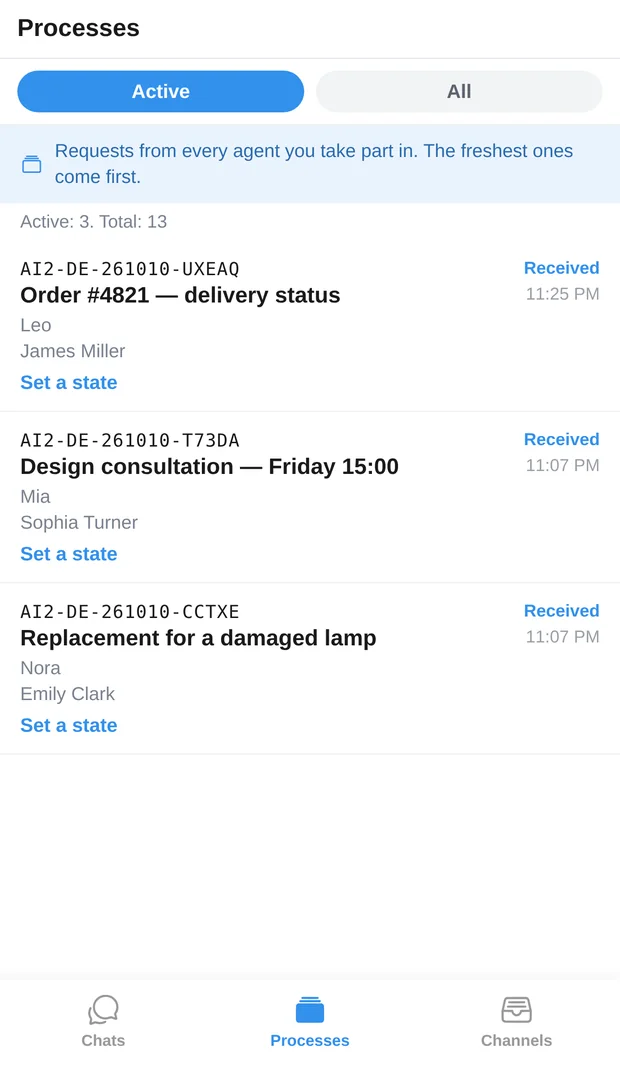
Enable requests and their INS numbers. The bot's platform sends requests and their status through the integration.
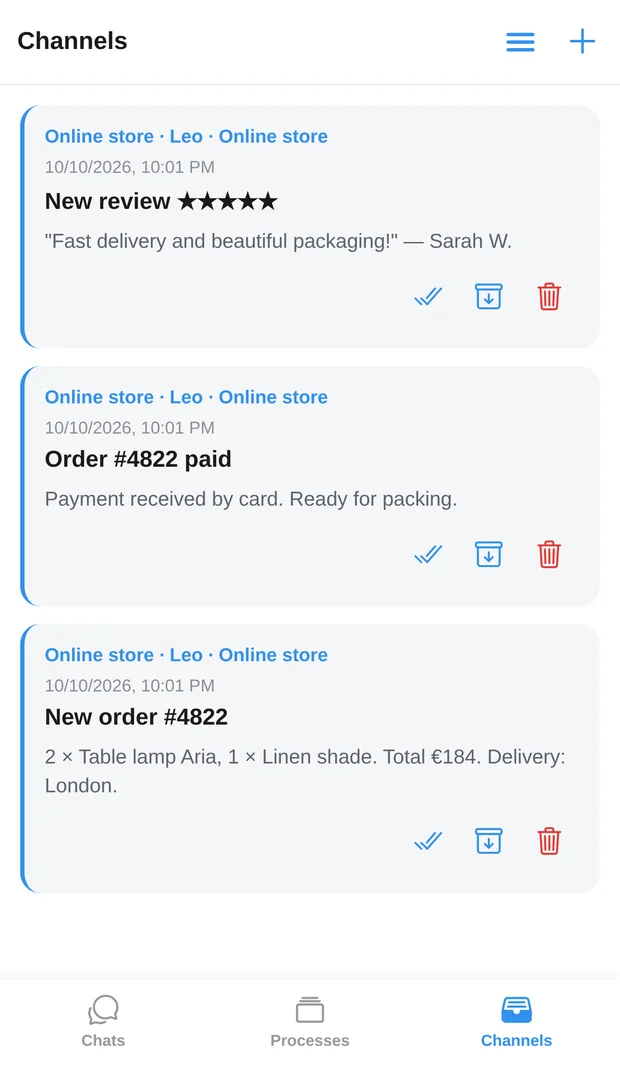
Create a source for your site or store, configure event delivery using its protocol and receive entries in “Channels”. Channels are for incoming events.
This is AIRONIK: bots' customer conversations, operator participation, incoming events and requests.
Creates the agent, chooses the subscription and assigns employee permissions.
Configures the AIRONIK protocol, event delivery and handling of operator participation.
Views accessible conversations and replies to customers according to their permissions.
Yes, it is one of the external bot's settings. Data reception also depends on how the integration works on your platform.
The external bot's main rules and settings are configured on its platform. Actions available in AIRONIK depend on the agent's type and capabilities.
Chats contain conversations an operator can join with the right permissions. Channels collect incoming events: you can view, export and mark them as read, but cannot post to a channel.
No, these features are chosen separately for each bot. You can enable one, both or keep the basic subscription.
Connect an existing bot and see how its customer conversations appear in AIRONIK. Then add the other agents and set up team access.